Team chat that lives on your own server
The Desk is a calm, fast, self-hosted Slack alternative: channels, threads, reminders, scheduled messages. One container, your hardware, your data. No per-seat pricing, because there's no one to pay.
No signup, no install — the demo's login page shows the shared credentials.
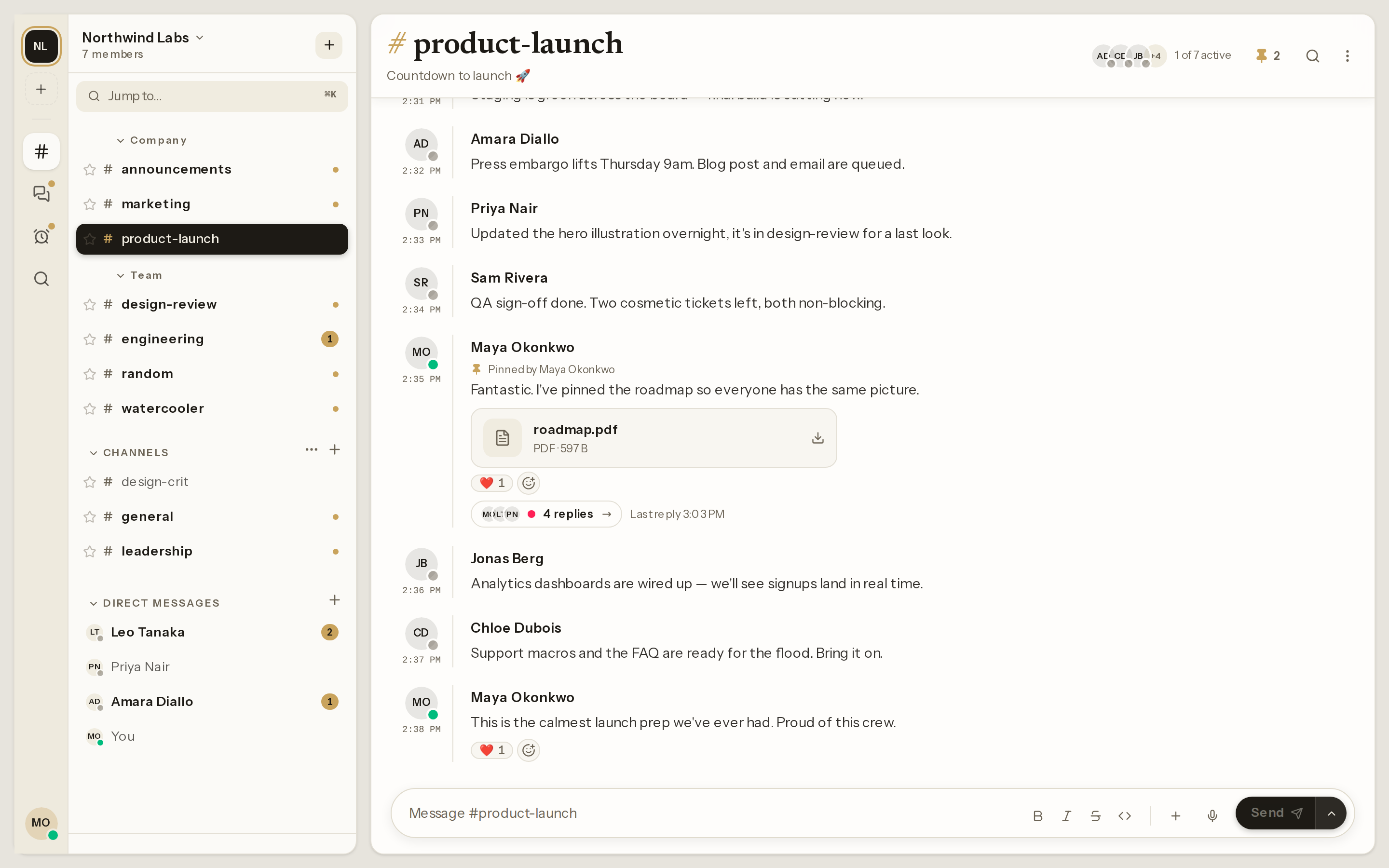
Your whole workspace, quietly in one place
Channels, threads, reactions, and direct messages: the real app, not a mockup. Light and dark both ship, on desktop and on mobile.
A boring stack you already know how to run
One compose file, a handful of containers. No Kubernetes, no exotic dependencies.


Built in, not add-ons
Channels, threads, and DMs are table stakes. The Desk also covers the workflow features teams actually miss when they leave the big platforms.
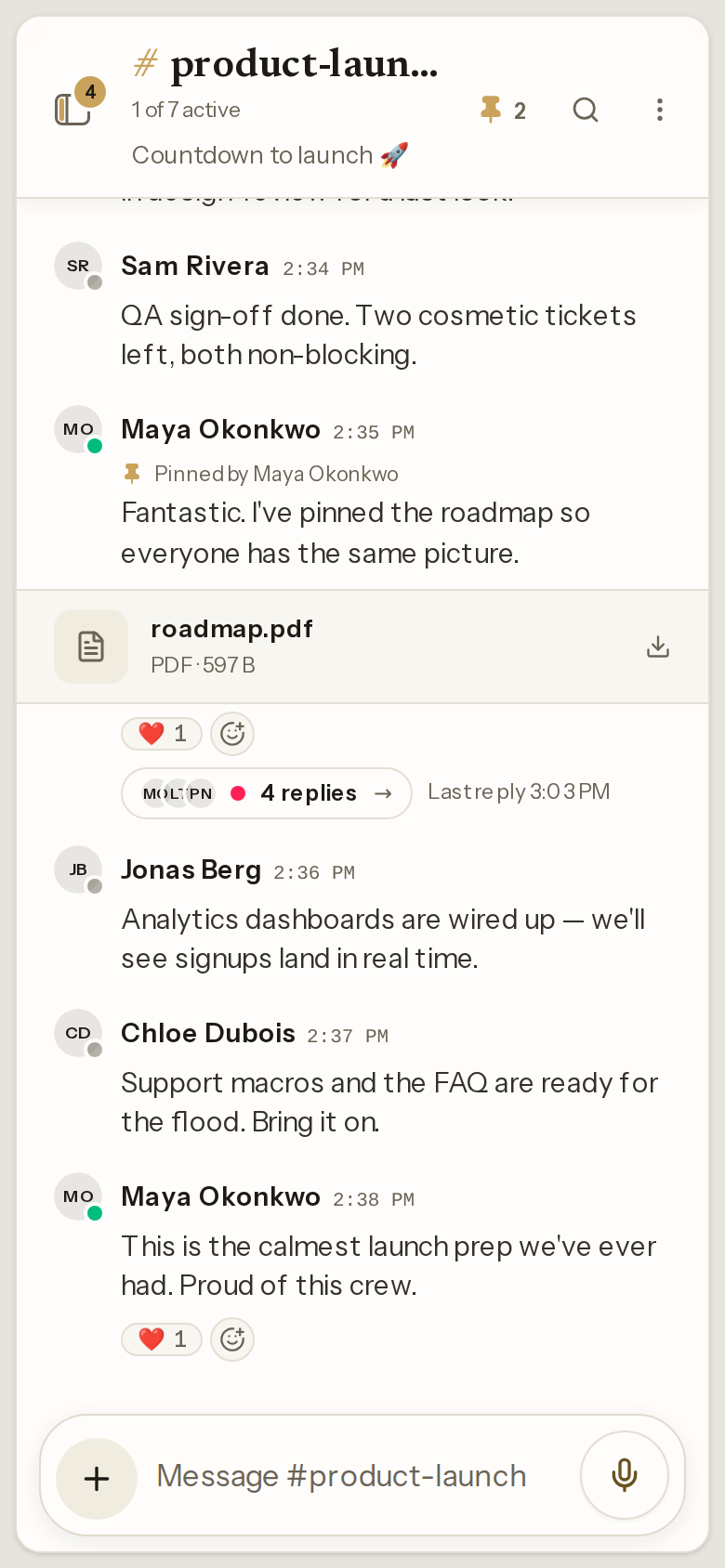
Install it on your phone, then tell it when to be quiet
The same server you already run, on the home screen. No app store, no second product, no third-party notification service in the middle.
- Add to home screen. An installable app on iOS, Android and desktop, with web push so messages arrive when the tab is closed. Fresh installs generate their own push keys, so it works without extra setup.
- Designed for the phone, not shrunk to fit. Dialogs come up as bottom sheets, a long press opens message actions, and threads and the quick switcher go full screen.
- Quiet hours. Pause notifications on a daily schedule, or snooze them for the rest of today. Calm is a setting, not a hope.
The parts your IT review asks about
Self-hosting is the easy half of the approval. The rest is whether it plugs into the directory you already run and leaves a trail afterwards. It does, and both are settings, not a paid tier.
- Single sign-on over OpenID Connect, with an SSO-only mode when local passwords should stop being an option.
- LDAP and Active Directory sign-in against the directory you already run.
- SCIM 2.0 provisioning, so an account closed in the directory closes here too.
- Passkeys and two-factor — WebAuthn sign-in and TOTP, each one flag to switch on, with a prompt to add a passkey after registering.
- A security event log — sign-ins, changes to access — pruned on a retention schedule rather than kept forever.
- Audit exports for when someone needs the record in a file, not on a screen.
- Per-user data export, generated on request and purged when it expires.
- Sessions and roles you can actually see and revoke, alongside the moderation audit log.
None of this is a plan you upgrade to. It's the configuration guide and the feature toggles — read them before you believe this page.
Your messages never leave your building
No SaaS middleman, no data-retention lawyering, no surprise pricing changes. The Desk ships as one compose file with a prebuilt image. Run it on a VPS, a NAS in the closet, or your company's rack.
- Unlimited everything. Members, history, file storage, bounded by your disk, not a plan.
- Your name on it. Set the instance name, drop your marks into a mounted directory, drop the attribution line. Read at runtime, so it takes no fork, no rebuild and no custom image — the branding guide is three settings long.
- Boring, auditable stack. Laravel, Vue, Postgres, Reverb, Meilisearch. No build step. Read every line on GitHub.
- Hardened before you touch it. A real content security policy, HSTS on secure responses, framing denied by default, secure session cookies. Defaults, not a checklist you work through.
- English and French. The interface is translated, down to role labels and export copy, and each person picks their language and a 12- or 24-hour clock.
- Leave anytime. Built-in data export for every user. It's your database either way.
Would rather not hand-manage a VPS? The repo also ships a Dokploy compose file — four screens of settings, no YAML editing. Deploying on Dokploy.
Set up The Desk before your next standup
Free forever, MIT licensed. If you can run a container, you can run your team's chat.
Not ready to install? Try the live demo — no signup, credentials are on the login page.